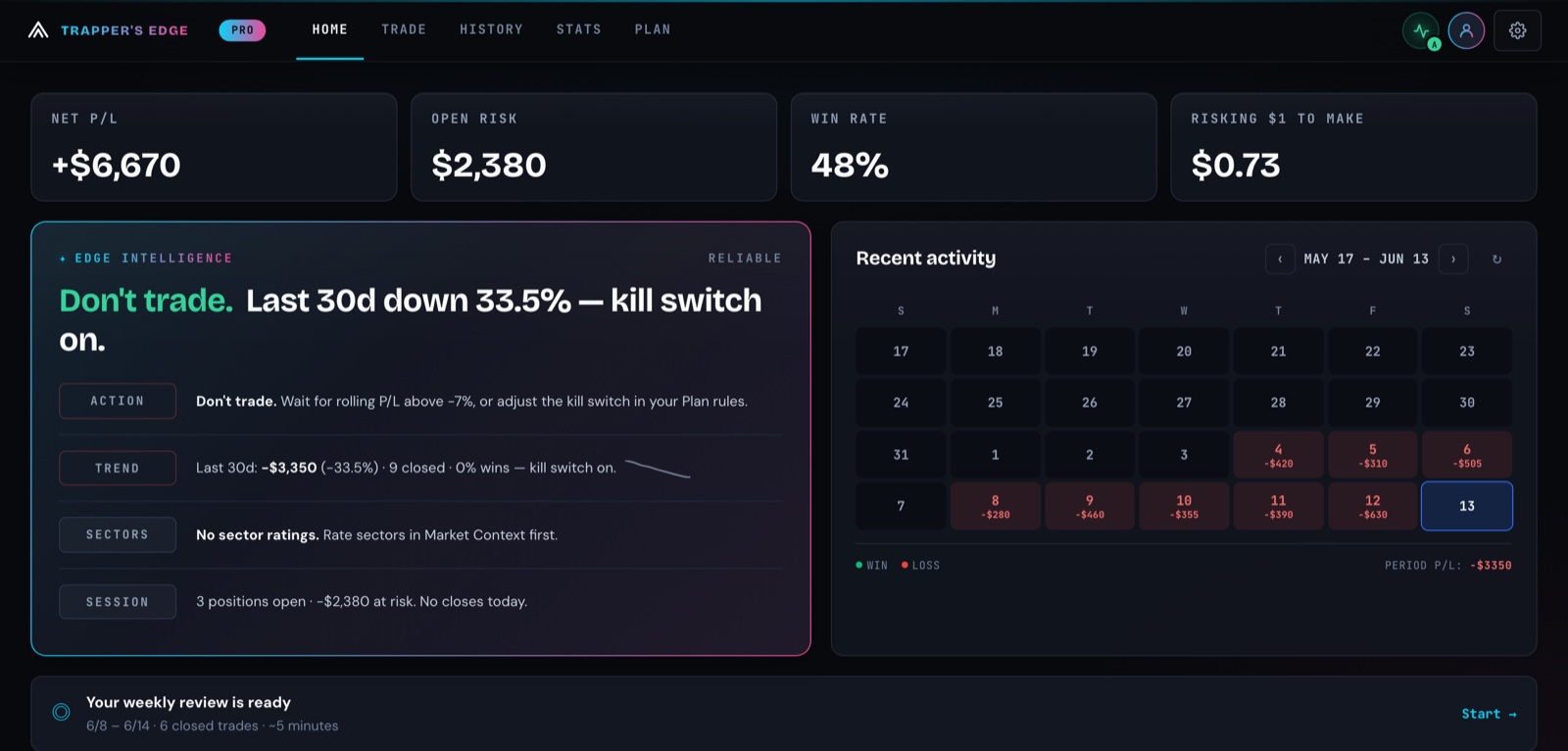
The real cockpit, today's build — your pre-trade read, open risk, and win/loss calendar in one view. Demo data, real product.
Most journals tell you what went wrong after you've paid for it. Trapper's Edge works upstream: your plan rules become pre-trade gates, a cooldown wall stops revenge trades after a losing streak, and a discipline score grades how well you followed your own rules — not just your P/L.
Built by a former Fidelity trade specialist who lost $75k learning why discipline beats analysis →
Every blown account has the same fingerprints on it. Trapper's Edge names each leak — then puts something in the way before it costs you again.
Cooldown wall. Hit your set losing streak — or tap "I need a break" — and the trade flow pauses you with your own reset ritual. You can override, but it's logged as a rule break.
Sizing comes from your stop. Position math is computed from your stop distance, account, and regime — and capped by your daily loss budget. No "just this once" double-down.
The quality gate. Your own checklist becomes YES/NO gates. Below your minimum, the ticket doesn't size — so the impulse trade never gets the green light.
Rule-break cost, in dollars. Every moved stop, oversize, and ignored gate is priced — "you lost $11,518 from 13 trades that broke your plan" — not buried in a vague discipline note.
Trading a prop-firm eval? The same gates keep you inside the drawdown rules →
A loss, the oversized ticket that always follows it — and the wall your own plan puts in the way. One minute, sound on or off.
The same gates, cooldown wall, and score you get in the app — free.
One closed loop, designed so yesterday's leaks change tomorrow's ticket before you can repeat them.
Your playbook, your rules — setups with their own entry checklists, regime-based risk, loss caps, and quality minimums.
Every ticket passes your own YES/NO gates — checklist, earnings, spread, daily loss budget. After a losing streak, the cooldown wall stands.
Position math from your stop distance, account, and regime — never from your mood. Smart paste fills the ticket; copy a broker-ready OCO when it's sized.
One screen to log it — screenshots, fees, scale-outs. Import CSV from any broker, or auto-import your fills with Pro.
The discipline score grades your process, every rule break is priced in dollars, and the AI coach (Pro) turns it into one focus for the week.
Fast, keyboard-first, installable, offline-capable — and local on your device by default.
No signals to sell you, no order routing, no black-box score. Here's exactly what Trapper's Edge does — and refuses to do — with your trading and your data.
That's the whole formula, across your last 30 closed trades. It deliberately ignores profit and loss — a disciplined losing streak still scores high, and a sloppy hot streak doesn't get a pass.
I'm Markquel — Mac to most people. Four years as a trade specialist at Fidelity Investments (Series 7 · 63 · SIE), and I still lost $75,000 of my own money — not to bad analysis, to broken discipline. Every journal I tried explained the damage after I'd paid for it, so I built the tool that gets between you and the bad trade instead. Independent — no brokerage, no fund. It will never sell you signals or route your orders: the discipline is the product.
— Markquel "Mac", founder · Read the full story →
Manual journaling, cloud sync, Plan rules, smart tickets, guided sizing, gates, and debriefs are free. Pro adds automation, deeper analytics, and the AI coach.
On your device first. Everything works without an account. If you turn on cloud sync, your journal is backed up under your sign-in and scoped to your account with row-level security. You can export JSON or CSV anytime.
No — Trapper's Edge never places or routes orders, and never will. It's a planning, sizing, and journaling tool, and you execute every order in your own broker. With Pro you can connect your broker so the app auto-imports your fills for review — that's a read-only sync to keep your journal honest, not order placement.
Pro unlocks the leverage on top of the free cockpit: broker auto-import via SnapTrade (with a needs-review inbox), advanced analytics and execution scorecards, the rule-break cost breakdown, the built-in AI coach, the AI weekly review and Sunday email digest, and TOS backtest import. It's $19.99/mo, $49.99 for 3 months, or $169.99/year — upgrade or cancel any time inside the app.
AI features run on Google Gemini and power the setup builder, Edge Intelligence descriptions, the coach review, and the weekly review. Pro includes built-in AI up to a monthly budget; Free accounts get a few reads a month. Anyone can instead add their own free API key for unlimited use — it stays in your browser and sends prompts straight to Google. Either way, we never store your prompts or journal.
Open the app, load the demo data, and watch the gates work. No sign-up, no card.
Launch App